Understanding Cricut SVG Files
If you’re a crafting enthusiast, you’ve likely heard about Cricut and its powerful capabilities. One of the most significant advantages of using a Cricut machine is its ability to work with SVG (Scalable Vector Graphics) files. These files allow for precise cuts and designs, enabling crafters to create intricate projects easily. In this article, we will explore what Cricut SVG files are, their advantages, and how you can effectively incorporate them into your crafting endeavors.
What are Cricut SVG Files?
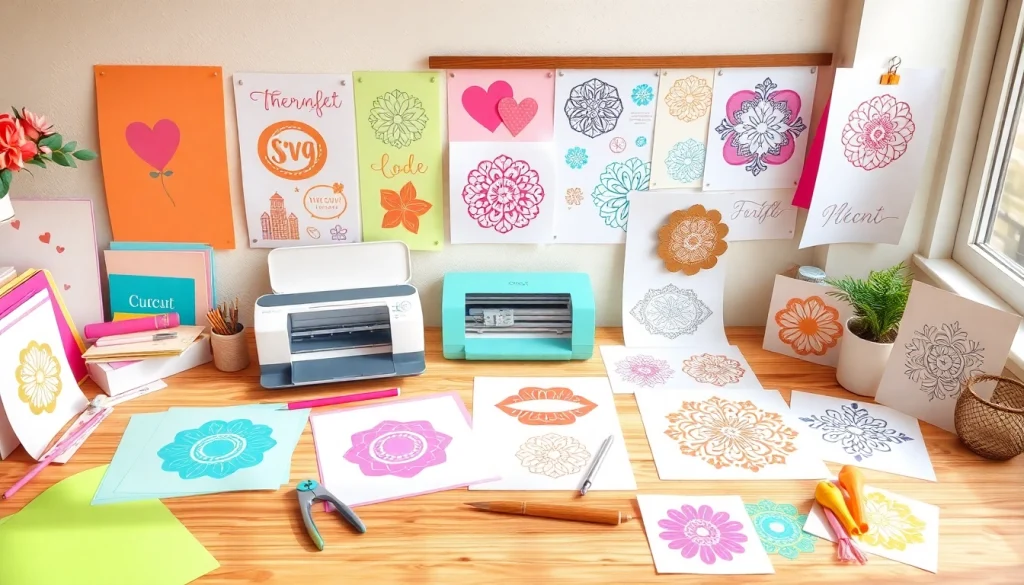
Cricut SVG files are digital files designed to be compatible with Cricut machines. Unlike standard image formats like JPG or PNG, SVG files are vector-based. This means they can be resized without losing quality, making them ideal for crafting projects where precision is essential. When you upload an SVG file to your Cricut Design Space, the software interprets the file’s paths and shapes, allowing the machine to cut complex designs with ease.
Why Choose SVG for Your Projects?
Choosing SVG files for your Cricut projects comes with numerous benefits. Firstly, SVGs provide the flexibility to scale designs without compromising quality, which is critical for applications ranging from small stickers to large banners. Moreover, SVG files often come with layers that can be manipulated individually, allowing you to customize your project further. For instance, if you’re creating a layered paper flower, SVG files allow you to cut each flower layer separately and then assemble them for a beautiful finish.
When exploring options, Cricut SVG resources can provide comprehensive insights, helping you find and use the best SVG files for your unique projects.
Common Misconceptions about Cricut SVG Files
Despite their advantages, there are misconceptions surrounding Cricut SVG files. A prevalent myth is that SVG files are only for professional designers. In reality, anyone can create or download SVG files, making them accessible for all crafting levels. Additionally, some believe that creating an SVG file requires advanced software skills; however, many user-friendly platforms simplify the process, allowing beginners to design their SVGs easily.
Getting Started with Cricut SVG
Embarking on your crafting journey with Cricut SVG files requires proper preparation. Understanding your workspace, gathering essential tools, and knowing where to find quality SVG files online are critical steps in ensuring a smooth crafting experience.
Preparing Your Workspace for Cricut Projects
Before starting any project, it’s essential to set up a dedicated workspace. Ensure you have a clean, organized area with adequate lighting and all necessary tools within reach. Your workspace should also include a computer or tablet for accessing design software and downloading SVG files. Having a comfortable chair and good posture will also enhance your crafting experience, allowing you to work on projects for extended periods without discomfort.
Essential Tools for Working with Cricut SVGs
To maximize your Cricut SVG experience, consider acquiring a few essential tools:
- Cricut Mat: Choose the right mat for your material type (light grip, standard grip, or strong grip).
- Weeding Tools: These tools help remove excess material from intricate cuts, ensuring your designs look crisp.
- Scraper Tool: A scraper helps to smooth out vinyl or cardstock on the mat, ensuring adhesion during the cutting process.
- Transfer Tape: Useful for applying vinyl designs to surfaces without distortion.
- Design Software: Accessing software like Cricut Design Space allows you to upload and edit your SVG files effectively.
Finding Quality Cricut SVG Files Online
Quality SVG files can significantly enhance your crafting. While there are numerous sources available, it’s essential to choose reputable sites to ensure you are accessing high-quality, usable SVG files. Websites like SVG Cuts and Design Bundles offer extensive libraries of files for various projects, from seasonal crafts to everyday decorations.
Creating Your Own Cricut SVG Designs
For the more adventurous crafter, creating your own SVG designs can add a personal touch to your projects. Using various software solutions, you can craft unique designs tailored to your specific needs.
Step-by-Step Guide to Design Custom SVGs
- Choose Your Software: Start with programs like Adobe Illustrator, Inkscape, or even online platforms like Canva.
- Create Your Design: Use the software’s tools to sketch out your idea, paying attention to the details that will be cut or engraved.
- Export as SVG: Once you’ve completed your design, ensure you export the file in SVG format for it to be compatible with Cricut machines.
- Upload to Design Space: Go to Cricut Design Space, upload your SVG file, and make any necessary adjustments.
- Test Cut: Perform a test cut on a cheap material to ensure everything looks as intended before using your final material.
Software Options for SVG Creation
Many software options are available for creating SVG designs, ranging from beginner-friendly to professional-grade. Here are a few popular choices:
- Inkscape: Free and open-source, perfect for beginners.
- Adobe Illustrator: A powerful tool for advanced users, offering extensive design capabilities.
- Affinity Designer: A budget-friendly alternative to Illustrator with similar functionality.
- Canva: Primarily for beginners, with a straightforward user interface, making it easy to create simple SVG designs.
Best Practices for SVG Design
When designing your own SVG files, keep these best practices in mind:
- Keep it Simple: Complex designs can lead to cutting errors, so start with simpler shapes and build from there.
- Use Layers: Organize your designs into layers for more versatile and easier crafting.
- Test Your Designs: Regularly test cut designs to avoid wasting material on larger projects.
- Save Frequently: Don’t forget to save your progress regularly, especially when working on larger designs.
Utilizing Cricut SVGs for Various Projects
Cricut SVG files can be used for a wide array of projects, illustrating their versatility in crafting.
Popular Applications for Cricut SVG Files
Some popular applications for Cricut SVG files include:
- Home Decor: Create stunning wall art, signs, and decorative pieces that personalize your living space.
- Apparel: Design custom T-shirts, hoodies, or bags using iron-on vinyl.
- Card Making: Add unique designs to cards for special occasions using intricate card cuts.
- Party Supplies: Craft customized party favors, invitations, and decorations for celebrations.
Tips for Successful Crafting with Cricut SVGs
To ensure your crafting projects are successful, consider these tips:
- Choose the Right Material: Selecting the appropriate material for your design is crucial. Vinyl, paper, and fabric all require different approaches.
- Follow the Cut Settings: Always adjust your cut settings based on the material you’re using for optimal results.
- Practice Weeding: Weeding can be tricky; practice on scrap materials to improve your technique.
Inspiring Project Ideas Using Cricut SVGs
If you’re looking for inspiration, consider these project ideas:
- Create a personalized family name sign for your entryway.
- Design seasonal decorations, such as Halloween or Christmas ornaments.
- Craft custom stickers for notebooks or laptops.
- Make unique gifts like personalized mugs or coasters for friends and family.
Future Trends in Cricut SVG Crafting
The world of Cricut crafting is ever-evolving. As technology advances, new trends emerge that can enhance your creative efforts. Staying informed about these trends is crucial for any serious crafter.
Innovative Techniques to Watch in 2026
In 2026, we can expect exciting developments in Cricut crafting. Here are some innovative techniques to keep an eye on:
- 3D Printing: Integrating 3D printing with Cricut projects will allow for more intricate designs and uses.
- Smart Materials: Advances in material technology could lead to new, more versatile crafting materials.
- Interactive Designs: Enhanced design software may allow crafters to create interactive elements in their projects.
How Technology is Shaping the Cricut SVG Landscape
The ever-evolving field of technology is significantly influencing how Cricut users create and utilize SVG files. Cloud-based design platforms will make sharing and collaborating on SVG projects easier across different devices, promoting creativity and community. Additionally, improving machine capabilities will enable even more detailed and complex cuts, further expanding the possibilities for crafters.
Embracing Sustainability in Cricut Crafting
With increasing awareness of environmental issues, sustainability is becoming a focal point in crafting. As a Cricut user, you can participate in this movement by choosing eco-friendly materials and minimizing waste. Consider using leftover scraps for smaller projects or upcycling materials from other crafts to create unique designs. Embracing sustainable practices not only helps the environment but also allows you to express creativity in new ways.