
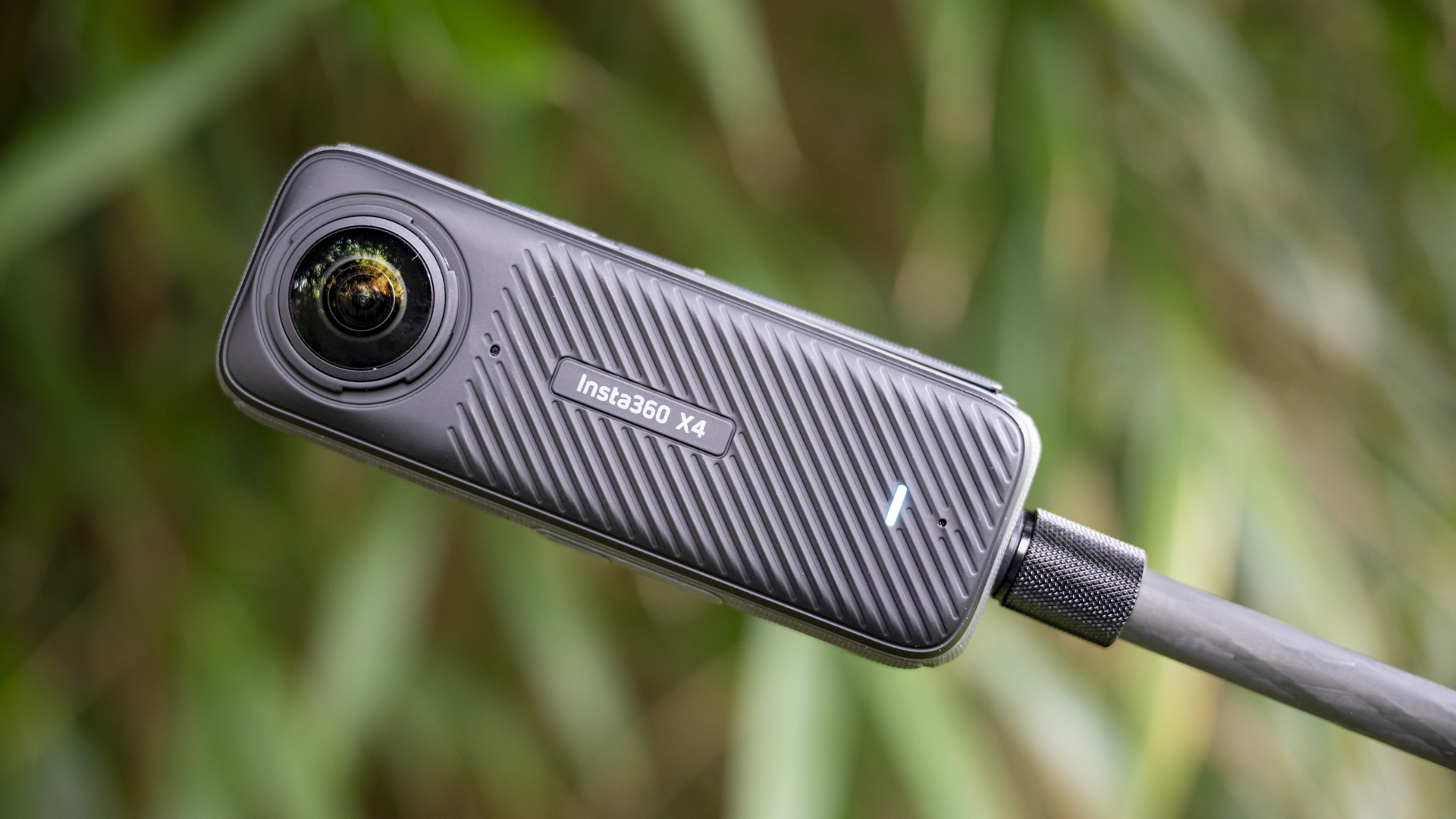
Introduction to the Insta 360 Camera
The Insta 360 camera has revolutionized the world of photography and videography. It allows creators, travelers, and adventurers to capture immersive 360-degree views with stunning clarity. Whether you are a beginner or an experienced content creator, learning how to maximize the potential of your Insta 360 camera will help you produce professional-quality shots effortlessly. This guide will walk you through essential tips and tricks to master your insta 360 camera and elevate your visual storytelling.
Understanding Your Insta 360 Camera
Before diving into shooting techniques, familiarize yourself with your insta 360 camera. Each model, such as the ONE X2, X3, or GO 3, comes with unique features designed for different shooting styles. The insta 360 camera includes dual fisheye lenses that capture a full 360° field of view, ensuring that nothing is left out of the frame. Understanding its modes, from HDR photo to FlowState stabilization, allows you to adapt to any environment with ease. Always explore the companion app that enhances your insta 360 camera experience with real-time editing, reframing, and AI-powered effects.
Setting Up Your Insta 360 Camera for the First Time
Getting started with the insta 360 camera is simple. Begin by fully charging the device and downloading the Insta360 app on your smartphone. Connect your insta 360 camera via Wi-Fi or Bluetooth. The app acts as a remote control and an editing suite. Make sure to calibrate the lenses and update the firmware before your first shoot to ensure smooth operation. When handling your insta 360 camera, always keep the lenses clean and avoid direct contact to prevent smudges that could affect image quality.
Choosing the Right Settings
To get the best results from your insta 360 camera, you must understand its settings. For outdoor adventures, use 5.7K resolution to capture detailed footage. If you are filming action scenes, enable FlowState stabilization to keep your video smooth. The insta 360 camera allows manual control over ISO, shutter speed, and white balance, which helps achieve consistent shots in varying lighting conditions. When in low light, increase ISO slightly but avoid excessive noise by using HDR mode. Experimenting with different settings on your insta 360 camera will help you find your preferred style.
Mastering Composition and Angles
Unlike traditional cameras, the insta 360 camera captures everything around you, so composition works differently. Position yourself and your subject thoughtfully to ensure the main focus stands out during reframing. Keep the camera at arm’s length or use an invisible selfie stick for dynamic perspectives. With an insta 360 camera, you can later adjust your framing and angle during editing, giving you flexibility that standard cameras cannot match. Practice capturing both wide scenic views and close-up shots to get a sense of balance in your footage.
Using the Insta 360 Camera for Action Shots
The insta 360 camera is a favorite among adventurers and sports enthusiasts. Whether you are biking, skiing, surfing, or skydiving, the insta 360 camera can handle intense action scenes. Use the FlowState stabilization feature to eliminate shake, and mount your insta 360 camera securely using the appropriate accessories. The invisible selfie stick is ideal for creating floating camera effects. To make your footage even more exciting, try the Bullet Time mode, which spins the insta 360 camera around you for dramatic 360-degree shots.
Creative Shooting Techniques
The beauty of the insta 360 camera lies in its creative potential. Experiment with TimeShift to create hyperlapse videos that add motion and speed. Use the Deep Track feature to automatically follow subjects, ensuring they stay centered throughout the shot. Another creative option is Tiny Planet mode, which transforms your surroundings into a globe-like scene. These fun and professional effects make the insta 360 camera a powerful tool for storytelling. Remember, creativity comes from experimenting with angles, motion, and perspective.
Editing with the Insta360 App
After capturing your footage, editing is where your insta 360 camera truly shines. The Insta360 app offers AI-assisted tools that help you reframe and highlight key moments easily. You can export your videos in traditional 16:9, 9:16, or 1:1 formats to suit various social media platforms. Use the Shot Lab templates to create cinematic effects automatically. The insta 360 camera gives you full control over speed, direction, and transitions, allowing you to craft unique videos that grab attention. With just a few taps, your raw footage can become a professional masterpiece.
Maintaining Your Insta 360 Camera
To ensure long-term performance, take good care of your insta 360 camera. Always store it in a protective case when not in use. Clean the lenses regularly using a microfiber cloth and lens cleaner. Avoid exposing your insta 360 camera to extreme temperatures or direct sunlight for prolonged periods. If you’re shooting near water, make sure you use a waterproof housing. Regularly check for firmware updates, as these improve performance and add new features to your insta 360 camera. Proper maintenance will keep your device ready for every adventure.
Common Mistakes to Avoid
Beginners often make small errors that can affect their shots. Avoid placing your fingers near the lenses, as they will appear in the 360° footage. Keep your insta 360 camera stable while recording, and ensure the selfie stick is aligned properly to maintain the invisible effect. Always preview your shots through the app before major shoots. Lastly, remember that lighting is crucial; even though the insta 360 camera handles various conditions well, good lighting enhances overall image quality.
Conclusion
Mastering the insta 360 camera takes practice, but with the right techniques, anyone can create professional and immersive content. From setup to editing, every step enhances your ability to tell stories in a new, exciting way. The insta 360 camera empowers creators to explore limitless perspectives, turning ordinary moments into extraordinary experiences. Whether you’re capturing adventures, travel memories, or creative projects, the insta 360 camera is your ultimate partner for perfect shots every time.